Unlock the doors by clicking the “avaa ovet” (unlock the doors) button in the app’s reservation view.
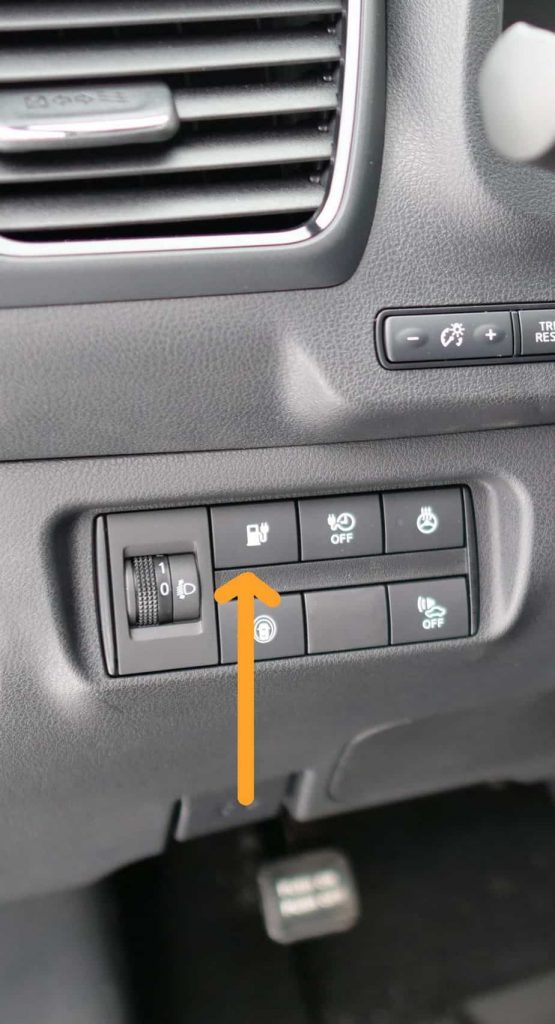
Press the button by the steering wheel meant for unplugging the charger (see image)
Physically detach the charger from the front of the car, close the lid and place the cable to the trunk for the duration of the ride. If the charger is solid, you don’t have to bring the cable with you. Another cable can be found in the trunk.
Enter the car and off you go.
Starting the car and driving
Adjust the driver’s seat, mirrors, and the steering wheel properly, and put the seatbelt on.
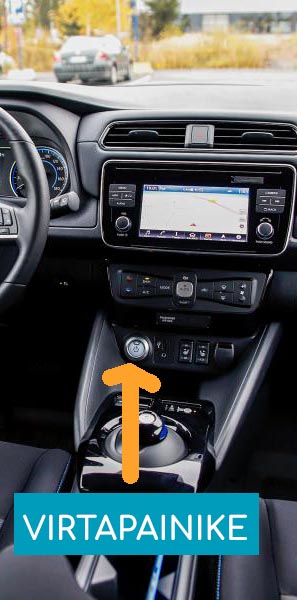
Press the brake pedal down and start the car by pressing the power button.
Release the parking brake by using the pedal located in the left corner by your feet. The brake is released by pressing the pedal down and then releasing it. The brake is activated by pressing on the pedal again.
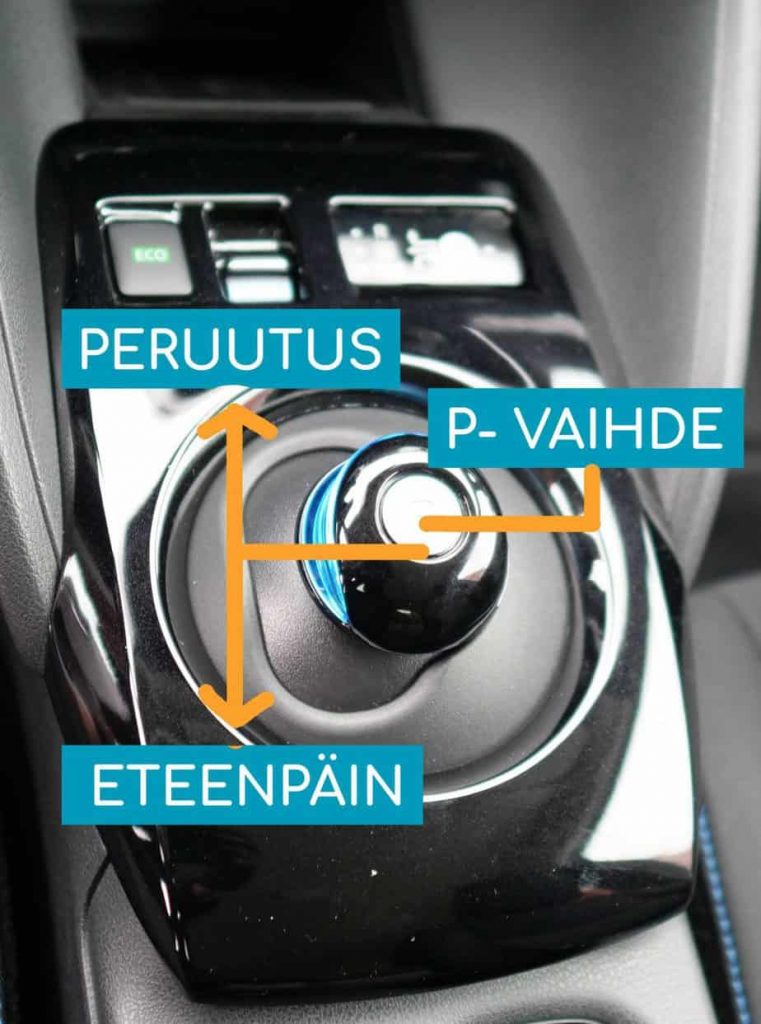
When selecting the gear, keep the brake pedal pressed down. Driving gear is one left and one down, reverse is one left and one up. Parking gear is in the center of gear stick.
During the ride
When parking the car, you can lock and unlock the car doors in the app’s reservation view. The physical car keys are located in the glove compartment, which you can also use during your reservation. Make sure to return the keys to the glove compartment once your reservation has ended.
If you’re going on a longer trip (over 200km), find suitable charging points in advance. You will find Neste station cards in the cars, which you can use to buy washer fluid if necessary. Our customer service team can help you to find out where to charge.
In case of accidents, car crashes, or other issues, contact our customer service immediately by calling 020 127 7799, If the car gets scratched, dented, or otherwise slightly damaged, you can also directly report this in the system before the reservation ends.
Ending the reservation and plugging in the charger
Park the car back at the same location where you started.
Open the charging flap using the interior button (see image). Always plug the charger into the car first, then into the wall socket or charging pole.
Take all your belongings with you and leave the car keys inside the vehicle.
Close the doors and press the END RESERVATION button in the app. The doors will lock.
After ending, you’ll see a summary of your reservation. You can report any notes or issues about the reservation directly through the system.